Yt-dlp: Examples. Free video and audio downloader.
19 Jun 2026, 22:35:32
If you’ve ever used services or apps to download videos from YouTube, Twitch, TikTok, or Vimeo, you can be sure that many of them rely on yt-dlp or its parent project, youtube-dl, behind the scenes. This program is also used in many ready-made solutions for online movie websites, such as KVS, and on adult-themed websites.yt-dlp is an advanced, actively developed fork of the youtube-dl project that allows you to download videos and audio from many websites.
Why is yt-dlp better than youtube-dl?
- Active support. One of the main reasons for creating yt-dlp is the slow pace of development of youtube-dl. The yt-dlp team actively updates the software, quickly adapting to changes in media hosting platforms;
- Download speed. yt-dlp supports parallel downloading of media file segments, which significantly increases download speed compared to youtube-dl;
- Extensive format options. yt-dlp has expanded its capabilities for filtering video and audio formats. We’ll demonstrate this in the examples below;
- Working with YouTube. The utility is optimized to work with YouTube’s current features and formats. It supports Shorts, playlists, premieres, live streams, and much more;
- SponsorBlock support. yt-dlp can detect ad integrations, intros, bumpers, and outros, and remove these video segments;
- Post-processing. Thanks to its integration with FFmpeg, yt-dlp can process files after downloading content: extract audio, convert formats, embed subtitles and modify metadata;
- Cookie handling. yt-dlp can automatically import cookies directly from browsers;
- Advanced template system. yt-dlp has expanded its capabilities for working with file name templates;
- Actual codecs. yt-dlp updates its list of supported codecs in line with media portals and supports actual codecs.
Installation
The official documentation recommends using a command that installs yt-dlp in the current user's directory:curl -L https://github.com/yt-dlp/yt-dlp/releases/latest/download/yt-dlp -o ~/.local/bin/yt-dlp
chmod a+rx ~/.local/bin/yt-dlp
Since we're working on a server, we need to make the executable file accessible to all programs and users, so let's run the following commands:curl -L https://github.com/yt-dlp/yt-dlp/releases/latest/download/yt-dlp -o /usr/local/bin/yt-dlp
chmod a+rx /usr/local/bin/yt-dlp
The curl command downloads the executable file to the /usr/local/bin/ directory. chmod sets the execution permissions.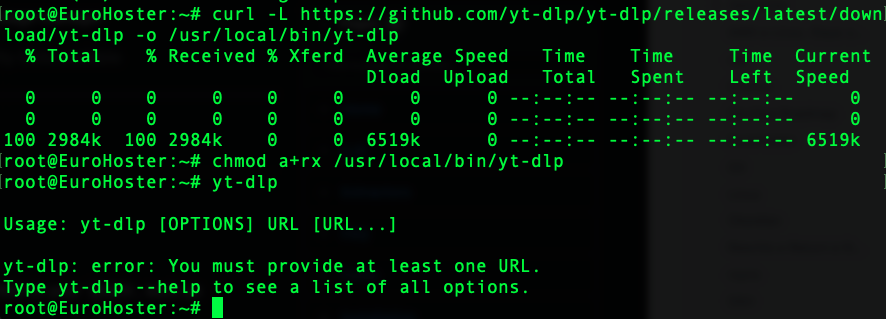
Installing ffmpeg
To take full advantage of yt-dlp, you'll also need to install ffmpeg. Compiling ffmpeg is a topic for another article. The easiest way is install it from the system repositories.For Debian/Ubuntu:
apt update

apt install ffmpeg
For AlmaLinux/Rocky Linux/CentOS Stream:dnf install epel-release
dnf install ffmpeg ffmpeg-devel
For Arch Linux:pacman -S ffmpegFor macOS:brew install ffmpegYou can see the result by running the following command: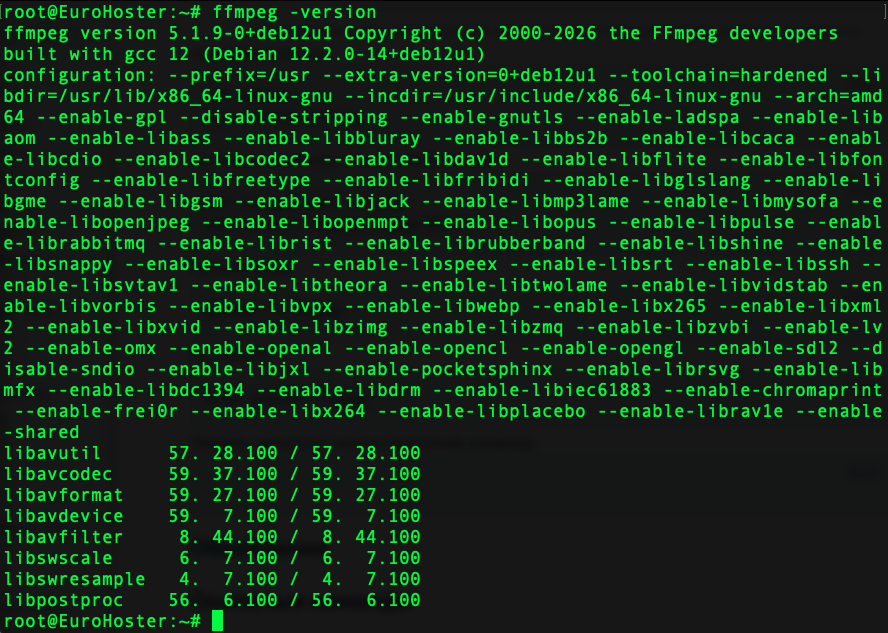
Update
To update yt-dlp, use the following command:yt-dlp -UIf you are using the latest version, you will see the following message:
Basic Commands
The capabilities of yt-dlp are extensive. Let's take a look at the most popular yt-dlp commands using practical examples.Download a video or audio file
yt-dlp URLHere's the simplest command - it will give you a finished file: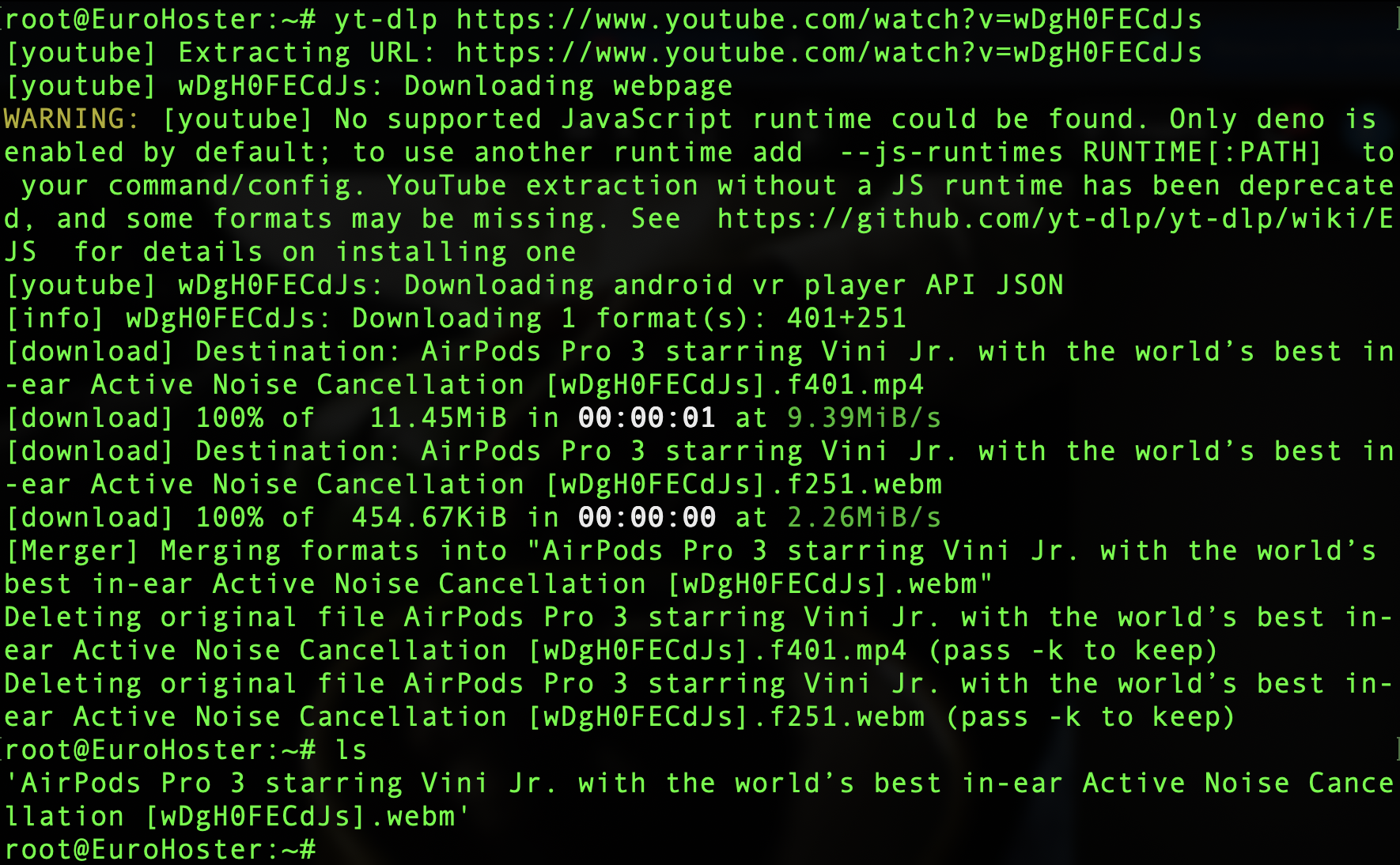
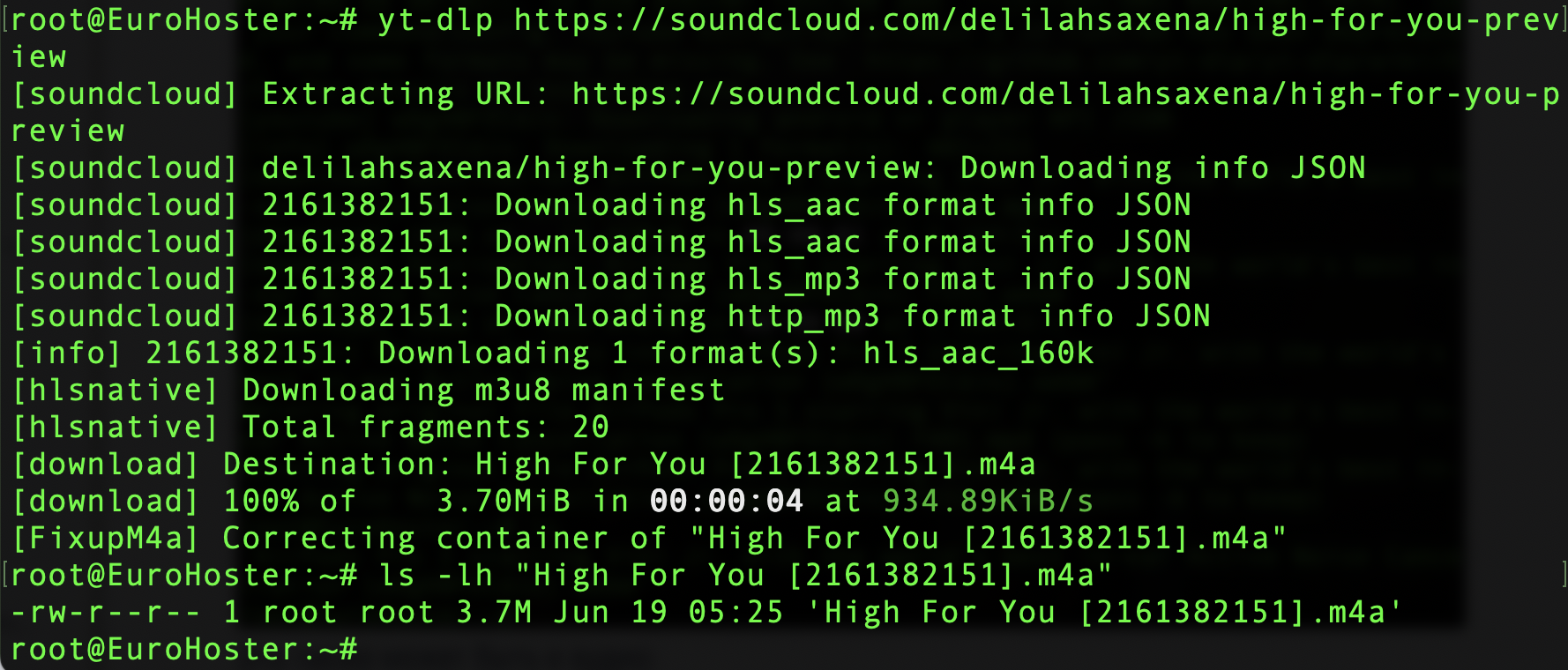
It could also be an audio file:
Select the format
To view all available video and audio tracks for download, use the following command:yt-dlp -F URLFor YouTube, the output can be quite extensive. Please note that the export includes both video tracks and audio, as well as a preview (storyboard).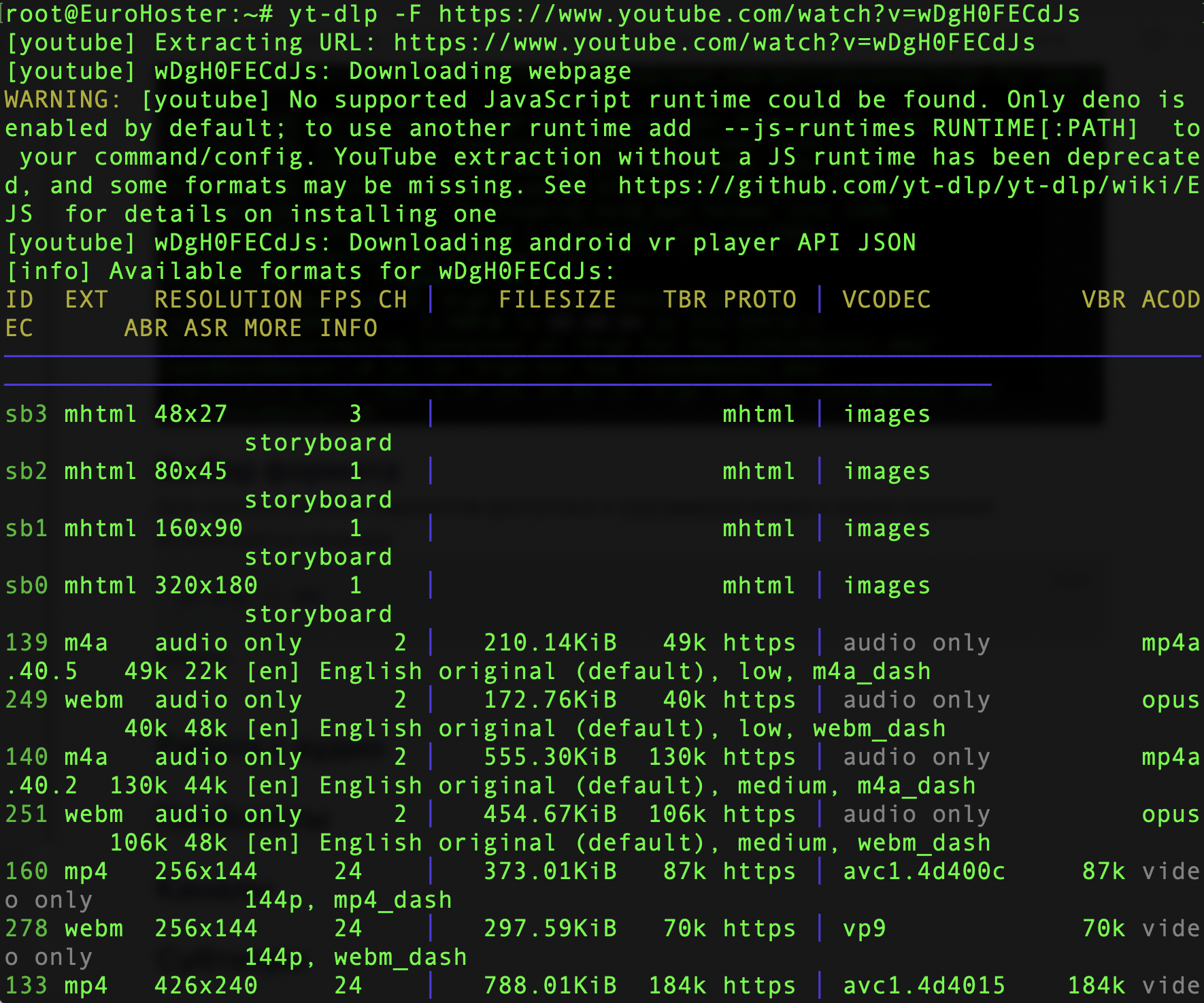
Download the video in the selected quality:
yt-dlp -f 401+140 URL- 401, 140 - The ID of the selected video and audio format (in the example: mp4 3840x2160 and m4a 44k).
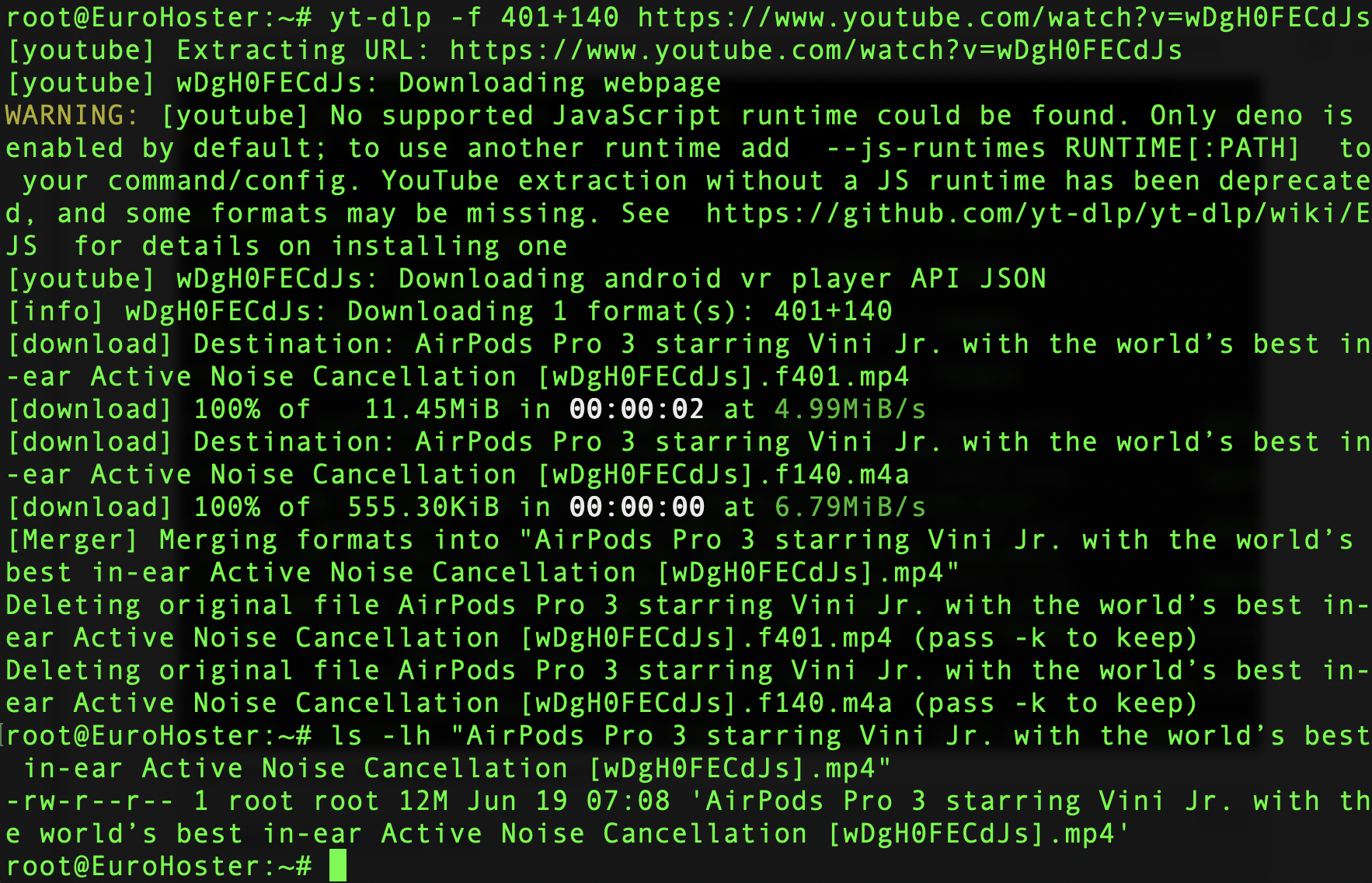
Instead of selecting specific formats, you can download the video in the highest quality in MP4 format:
yt-dlp -f "bestvideo[ext=mp4]+bestaudio[ext=m4a]" URL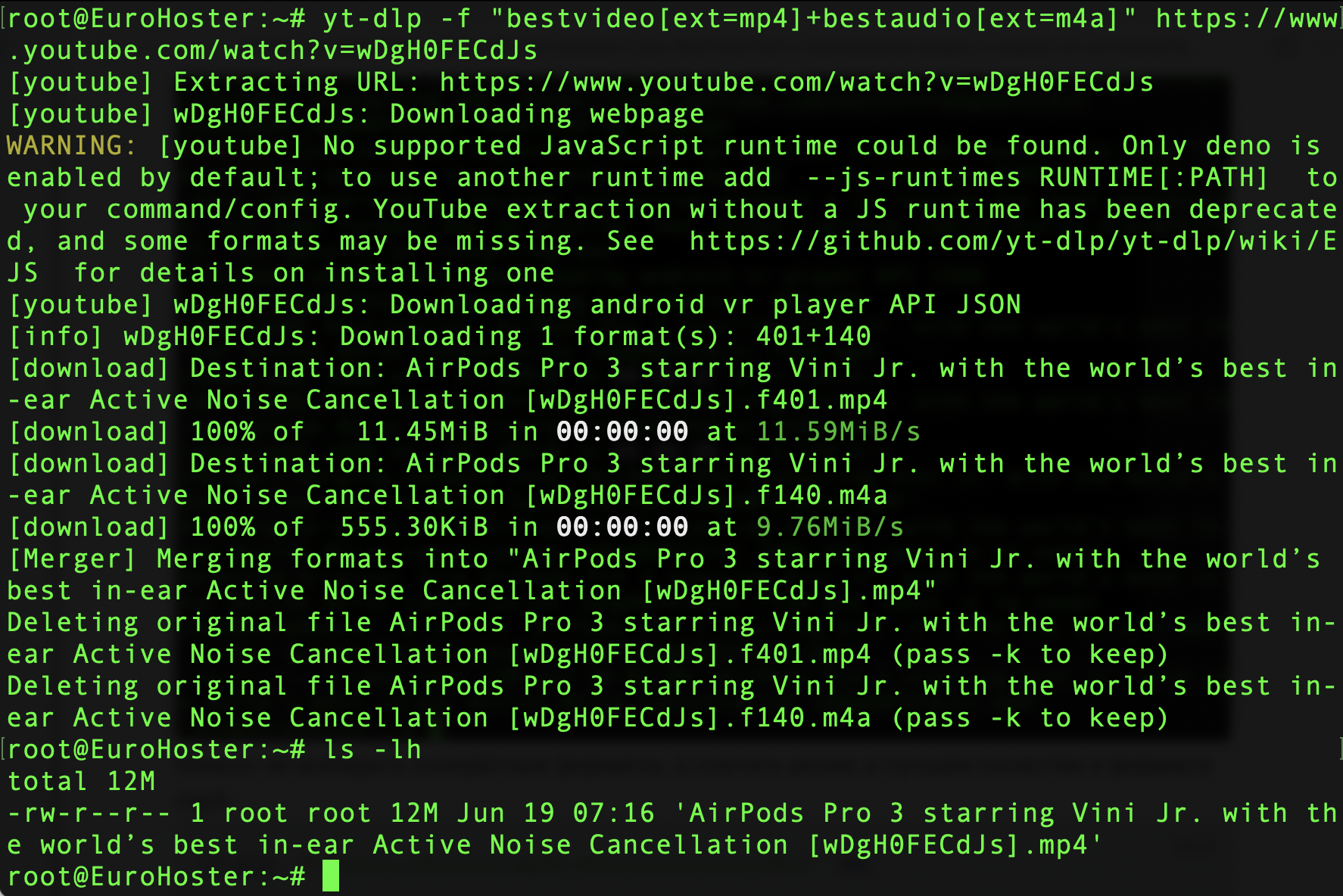
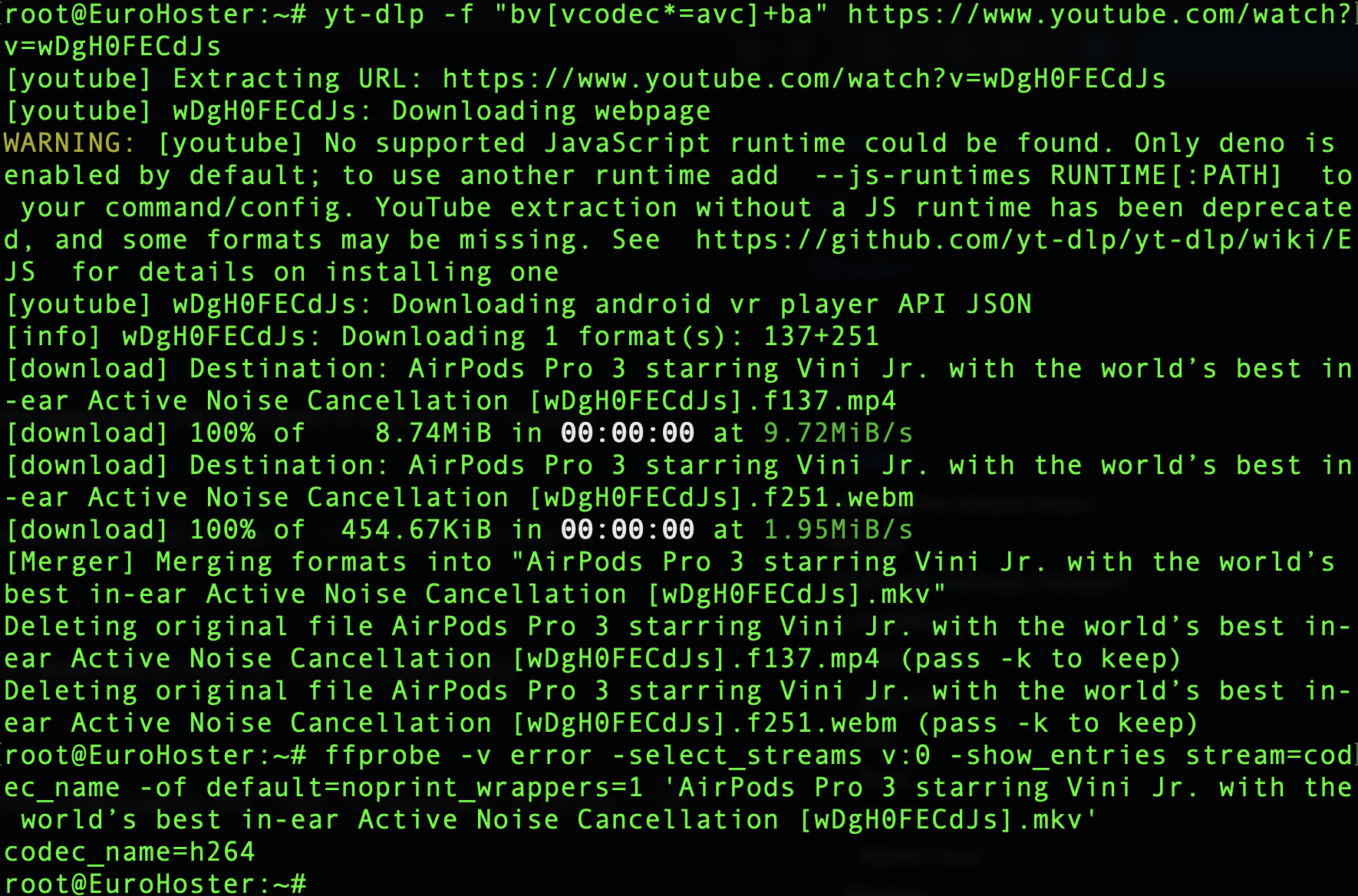
Or download it with the H.264 codec:
yt-dlp -f "bv[vcodec*=avc]+ba" URL- bv - short for bestvideo;
- ba - short for bestaudio;
- avc - codec H.264.
Working with Audio
You can extract audio from a video using the following command:yt-dlp -x URLIn the case of YouTube, we'll get the audio track in the format used by the video hosting service: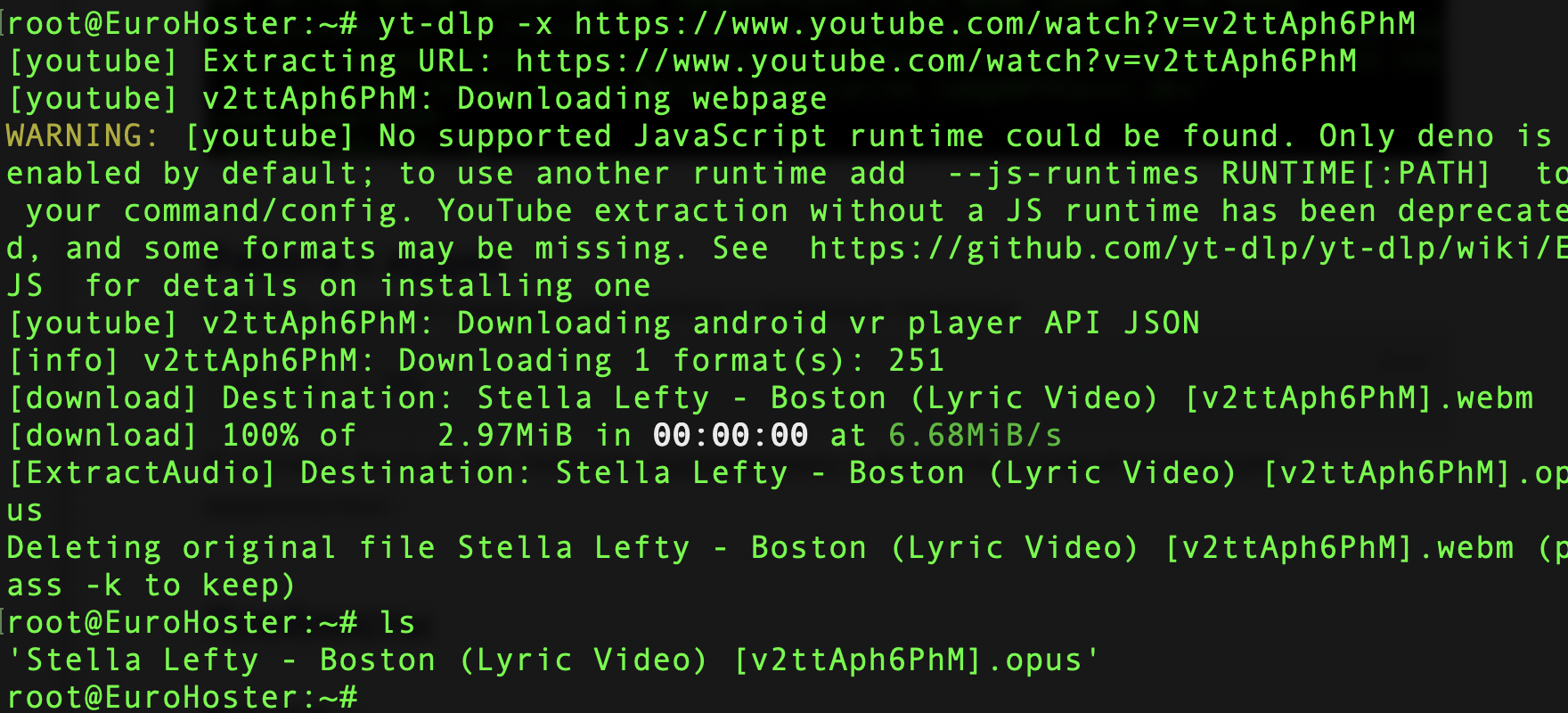
To convert a file to MP3 format immediately, you need to add the --audio-format:
yt-dlp -x --audio-format mp3 URL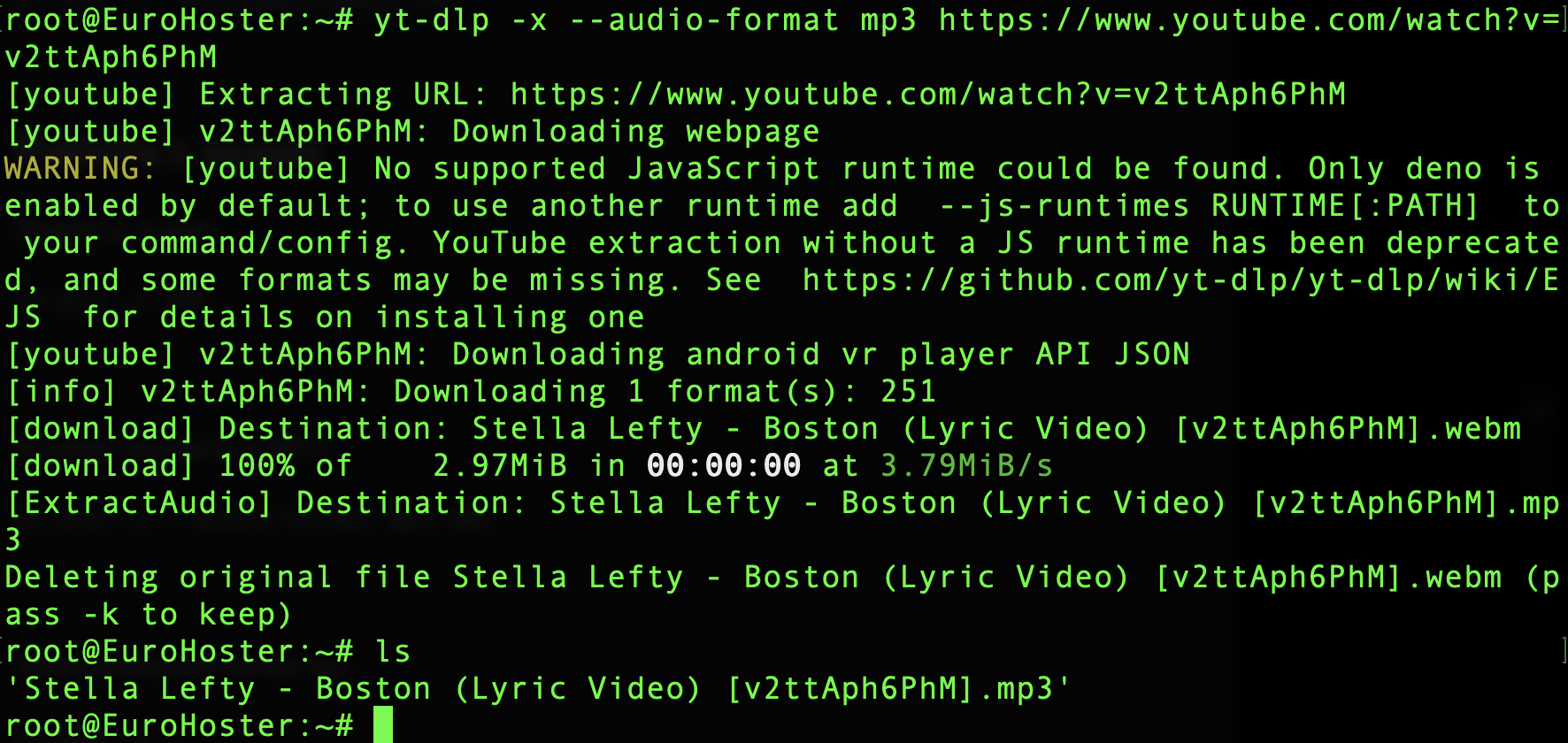
Let's improve the command to download audio at the highest available quality by adding the --audio-quality option:
yt-dlp -x --audio-format mp3 --audio-quality 0 URLSupported formats:- opus
- m4a
- wav
- mp3
- vorbis
- flac
- aac
Playlists
To download the playlist, the command is the same as for a single video:yt-dlp URLLet's tweak it so we can download all videos in the highest quality in MP4 format:yt-dlp -f "bestvideo[ext=mp4]+bestaudio[ext=m4a]" URLThis utility downloads all the videos in the playlist one by one to the current directory: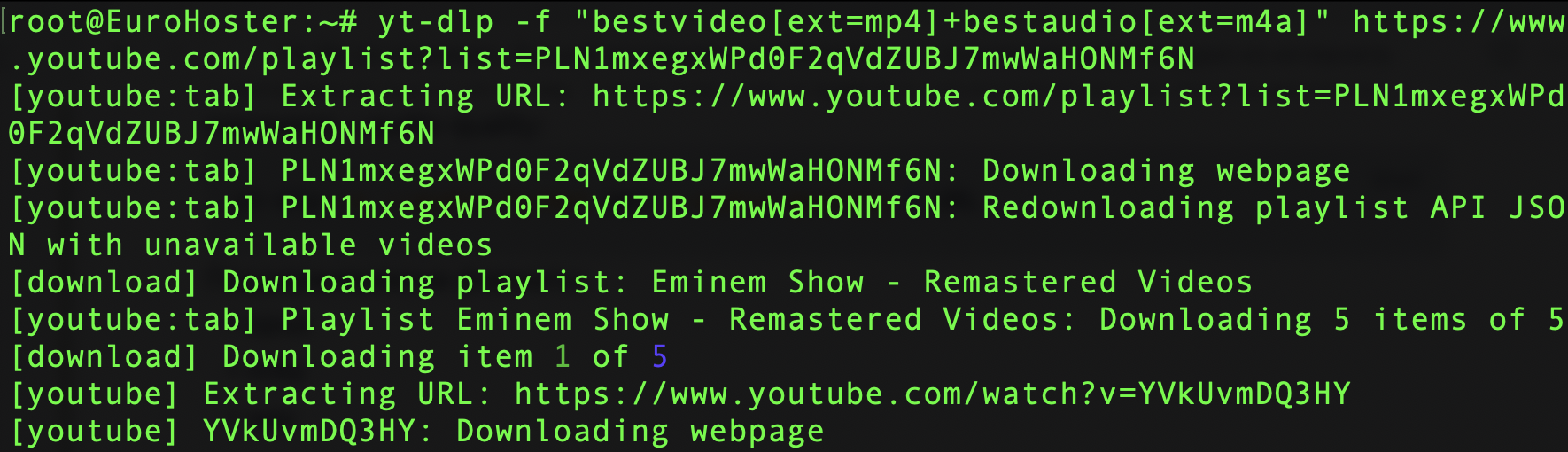
Limit the download to the first three videos in the playlist:
yt-dlp -f "bestvideo[ext=mp4]+bestaudio[ext=m4a]" --playlist-end 3 URLThe commands output in the screenshots are truncated: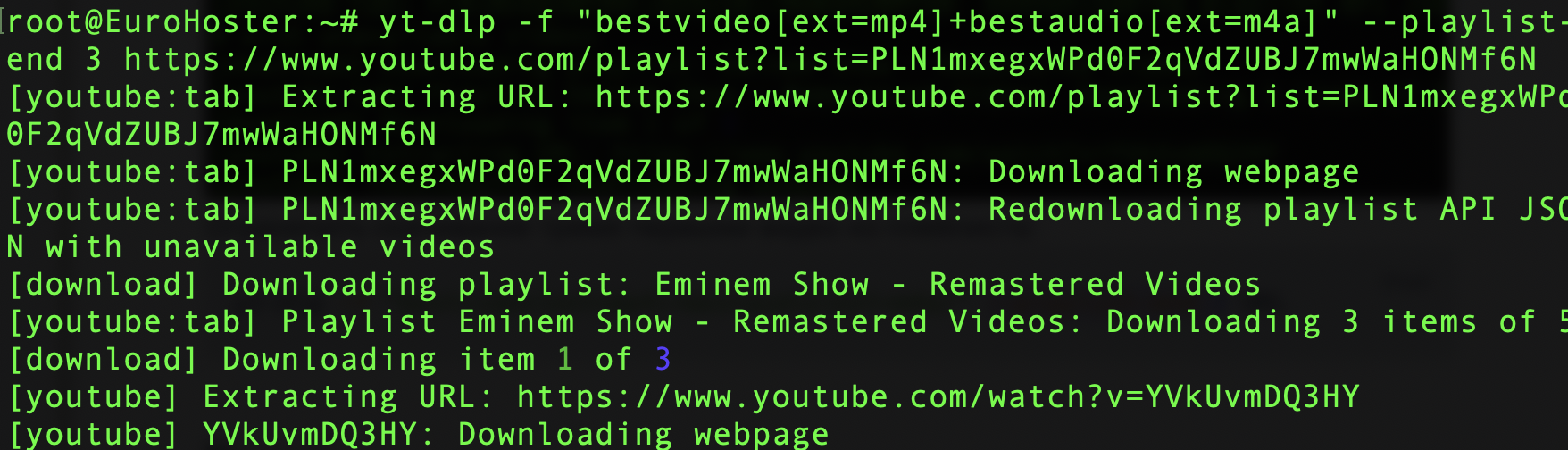
Channels
You can download all or some of the channel's videos using a similar command:yt-dlp -f "bestvideo[ext=mp4]+bestaudio[ext=m4a]" --playlist-end 30 URLThe utility will download the first 30 videos from the specified channel in the highest quality in MP4 format.Subtitles
View the list of available subtitles for the video:yt-dlp --list-subs URLThe list will include both automatic subtitles (the list may be very long) and manually added ones:
Download the video with English subtitles:
yt-dlp --write-subs --sub-langs en URL- en - subtitle language.

To download automatically generated subtitles, use the --write-auto-subs option:
yt-dlp --write-auto-subs --sub-langs de URL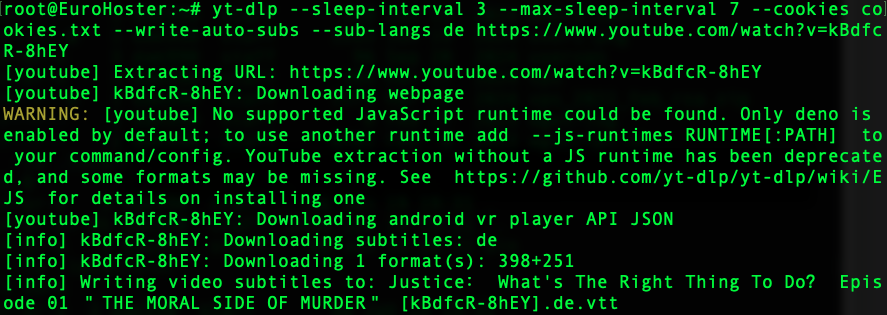
You may notice that in the screenshot, we’re using a few additional parameters to bypass YouTube’s bot blocking. --sleep-interval and --max-sleep-interval set the time limits that yt-dlp will wait between requests. In the example, this is a random number of seconds between 3 and 7.
Use of Cookies
A distinctive feature of yt-dlp is its advanced handling of cookies. If you're using the program on your personal device, you can automatically load cookies from your browser:yt-dlp --cookies-from-browser chrome URL- chrome - a browser that is logged in to the requested website.

On the server, you can use a pre-prepared file containing cookies in Netscape format, as shown earlier:
yt-dlp --cookies cookies.txt URLConclusion
Yt-dlp is a modern, versatile solution for automating the download of content from the most popular media hosting sites.Its flexible configuration, support for multithreaded downloads, handling of subtitles and file formats, ffmpeg integration, and ease of use have made this utility popular among regular users, developers, and administrators alike.
If you regularly work with video and audio files or are creating your own media project, learning about yt-dlp's key features will help you automate routine tasks and save significant time.